How to Use DTF Transfer Film
How to Use DTF Transfer Film: A Complete Guide for Perfect Prints
Direct-to-Film technology has completely transformed the custom apparel industry. Many people are eager to learn How to Use DTF Transfer Film to improve their production quality. This method is highly valued because it offers extreme flexibility and durability. You can apply these transfers to cotton, polyester, leather, and even blended fabrics. Unlike other methods, the film acts as a stable carrier that delivers vibrant colors to any garment. This guide will walk you through the entire process of using transfer film effectively. We will cover preparation, the physical printing steps, and the final application techniques.
Understanding the Structure of DTF Film
To master How to Use DTF Transfer Film, you must first understand the material itself. DTF film is not just a piece of plastic. It is a specialized PET (Polyethylene Terephthalate) sheet.
The Specialty Coating High-quality film features a unique chemical coating on one or both sides. This coating is designed to hold wet ink without allowing it to run or bleed. It also ensures that the adhesive powder sticks only to the printed areas. Choosing a film with a premium coating is essential for sharp details and clean edges in your designs.
Hot Peel vs. Cold Peel Films There are two main types of films based on how you remove them from the garment. Hot peel films are removed immediately after pressing while the shirt is still hot. Cold peel films require you to wait until the garment is completely cool before removal. Understanding which type you have is a vital part of knowing How to Use DTF Transfer Film correctly.
Step 1: Preparation and Digital Setup
Before you put the film into the printer, you must prepare your artwork. The quality of your digital file determines the quality of your physical transfer.
Design Resolution Always use high-resolution images, preferably at 300 DPI. Save your files with a transparent background in PNG or TIFF format. If the background is not transparent, the printer will apply white ink to the entire square area. This results in a heavy, uncomfortable feel on the shirt.
Using RIP Software You cannot print directly to DTF film using standard software. You must use a RIP (Raster Image Processor). This software allows you to mirror the image and control the white ink density. Mirroring is a mandatory step in How to Use DTF Transfer Film because the film is applied face-down on the fabric.
Step 2: The Printing Process
Once your file is ready, you can begin the printing phase. This requires careful handling to avoid mistakes.
Loading the Film Identify the matte side of your film. This is the side with the ink-receptive coating. Always load the film so that the printer heads apply ink to this matte surface. Avoid touching the printing area with your bare hands. The oils from your skin can cause "holly" spots where the ink will not stick.
Managing Ink Layers The printer will first apply the CMYK colors and then a layer of white ink over the top. To achieve the most vibrant and durable results, you should use professional-grade supplies. You can explore the DTF Ink collection to find high-pigment inks that bond perfectly with your transfer film.
Step 3: Applying Adhesive Powder
The adhesive powder is the "glue" that makes the transfer permanent. It must be applied while the white ink is still wet and tacky.
Coating the Image Cover the printed areas of the film with a generous amount of hot-melt powder. You can do this in a plastic tray or using an automatic shaker machine. Make sure every single drop of ink is covered by the white powder.
Cleaning the Film Gently tap or flick the film to remove any excess powder from the unprinted parts. Only the ink should retain the powder. If you leave stray powder on the clear film, it will create white specks on your garment. For a strong and flexible bond, quality materials are key. You can find the best options in the DTF Transfer Powders collection.
Step 4: Curing the Film
The powder must be melted into a solid adhesive layer before you can press it onto a shirt.
Using a Curing Oven or Heat Press Place the powdered film into a DTF curing oven at approximately 150°C (302°F) for 2 to 3 minutes. If you do not have an oven, you can hover your heat press about 1 inch above the film. The powder is cured when it looks like melted orange peel. This step is a critical part of learning How to Use DTF Transfer Film for long-lasting results.
Step 5: Pressing to the Garment
This is the final stage where the design is transferred from the film to the fabric.
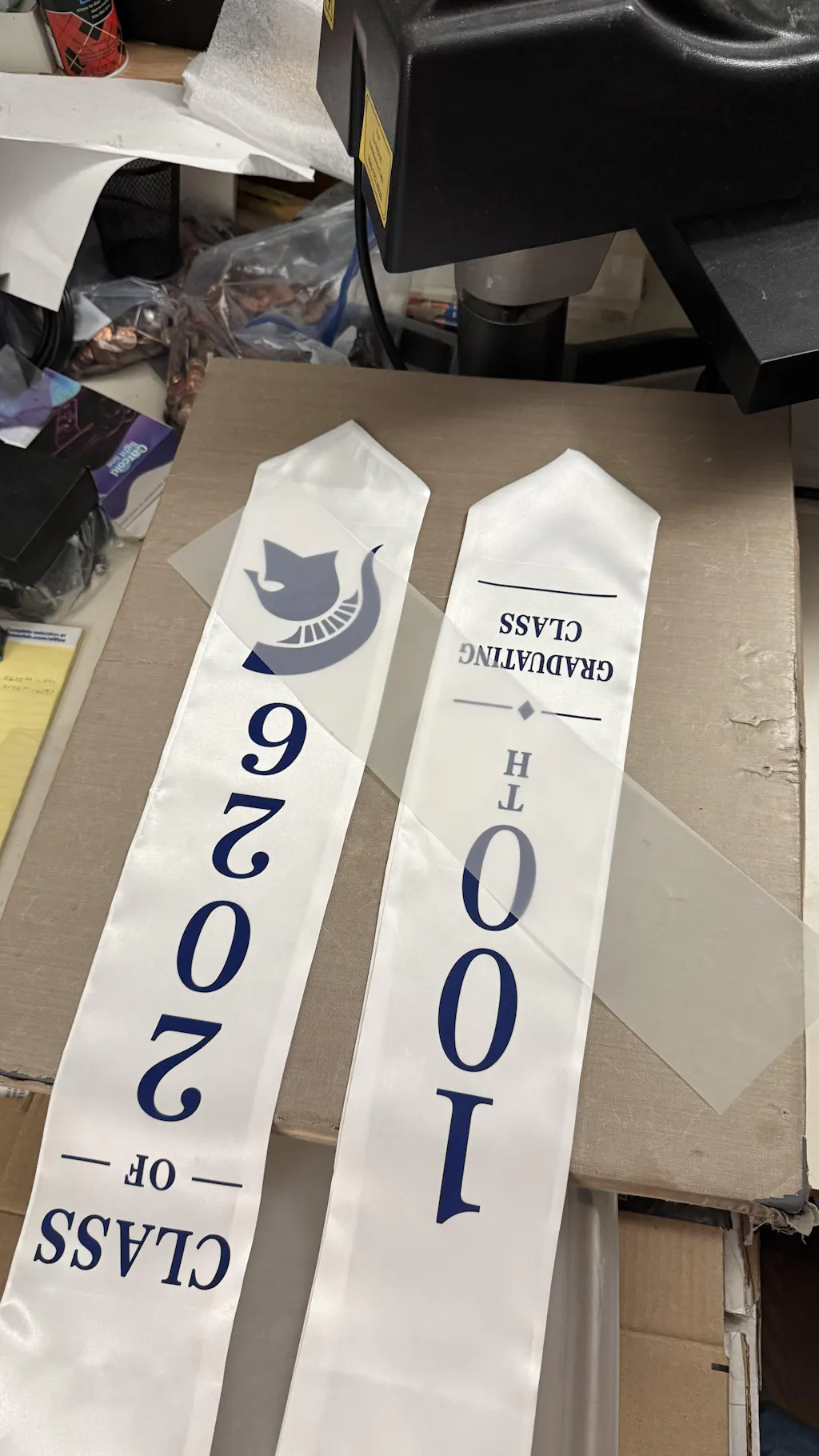
The Application Process Pre-press your shirt for 5 seconds to remove moisture and wrinkles. Place your cured film on the shirt with the design facing down. Cover it with parchment paper and press at 320°F (160°C) for 15 seconds. If you are using cold peel film, wait until it is fully cool before peeling. If it is hot peel, remove it immediately.
The Finishing Press After peeling the film, press the shirt one more time for 5 seconds. This "sealing press" pushes the ink deep into the fabric fibers. It significantly increases the washability and durability of the design. This is the secret to a professional retail finish.
Troubleshooting Common Film Issues
Even professionals encounter problems when learning How to Use DTF Transfer Film.
-
Ink Beading: If the ink looks like water on a window, the film coating might be faulty or contaminated with oils.
-
Incomplete Transfer: If parts of the design stay on the film, you may need more pressure or a higher temperature during the press.
-
Cracking After Washing: This usually happens if the powder was not cured properly or the finishing press was skipped.
Expanding Beyond Textiles: UV DTF
If you want to apply designs to hard surfaces, the process is slightly different. UV DTF film is used for items like mugs, tumblers, and electronics. For these projects, using UV DTF Gang Sheets is the most efficient method. These transfers are pressure-sensitive and do not require heat, making them perfect for non-fabric items.
Conclusion
Mastering How to Use DTF Transfer Film requires patience and high-quality materials. From the initial digital design to the final finishing press, every step must be handled with care. By using the right inks, powders, and films, you can produce stunning custom apparel that rivals any major brand. Always maintain your equipment and perform test prints to ensure the best results. With these techniques, you can turn any creative vision into a tangible, durable product.
Join our growing community online to stay updated with the latest trends and innovations in the printing world. Follow us on Facebook and Instagram for daily inspiration, new product announcements, and exclusive customer showcases. If you are looking for in-depth technical tutorials and expert advice, subscribe to our YouTube channel where we share detailed application guides. For quick printing tips and creative behind-the-scenes content, catch us on TikTok. Connect with us today across all our platforms to ensure you never miss an update, a special promotion, or a pro-tip to elevate your custom apparel business.